
Power and Precision: The Masterclass of Electronic Shopping Online in Sri Lanka
Learn how to select high-end GaN chargers, custom keyboard components, and lighting fixtures through electronic shopping online in Sri Lanka.
 JOURNAL ENTRY #42
Power and Precision: The Masterclass of Electronic Shopping Online in Sri Lanka
Modern workspace design relies heavily on electronic components. From high-speed multi-port chargers and smart monitor lightbars to custom mechanical keyboard PCBs and active desktop speakers, electronics are the unseen forces that drive our digital workflows. However, shopping for high-performance electronics on the web poses unique challenges. The local market is flooded with lower-tier components, uncertified batteries, and chargers that lack heat regulation. To solve this, navigating electronic shopping online in Sri Lanka requires technical literacy, safety awareness, and design discipline.
In this masterclass, we explore the science of sourcing premium electronics online, evaluating specifications, understanding safety standards, and matching components to build a unified, high-performance desktop setup.
The Rise of Silicon Aesthetics in Colombo
As Sri Lanka's tech and creative sectors expand, the demand for high-end electronics has shifted from raw utility to high design. Modern professionals do not want bulky, black plastic power strips or noisy fans. They seek compact, aesthetically pleasing devices that integrate seamlessly into their workspaces. This movement has fueled the growth of specialized electronic shopping online in Sri Lanka, providing access to advanced tech standards like GaN charging, asymmetric light optics, and custom micro-controller components.
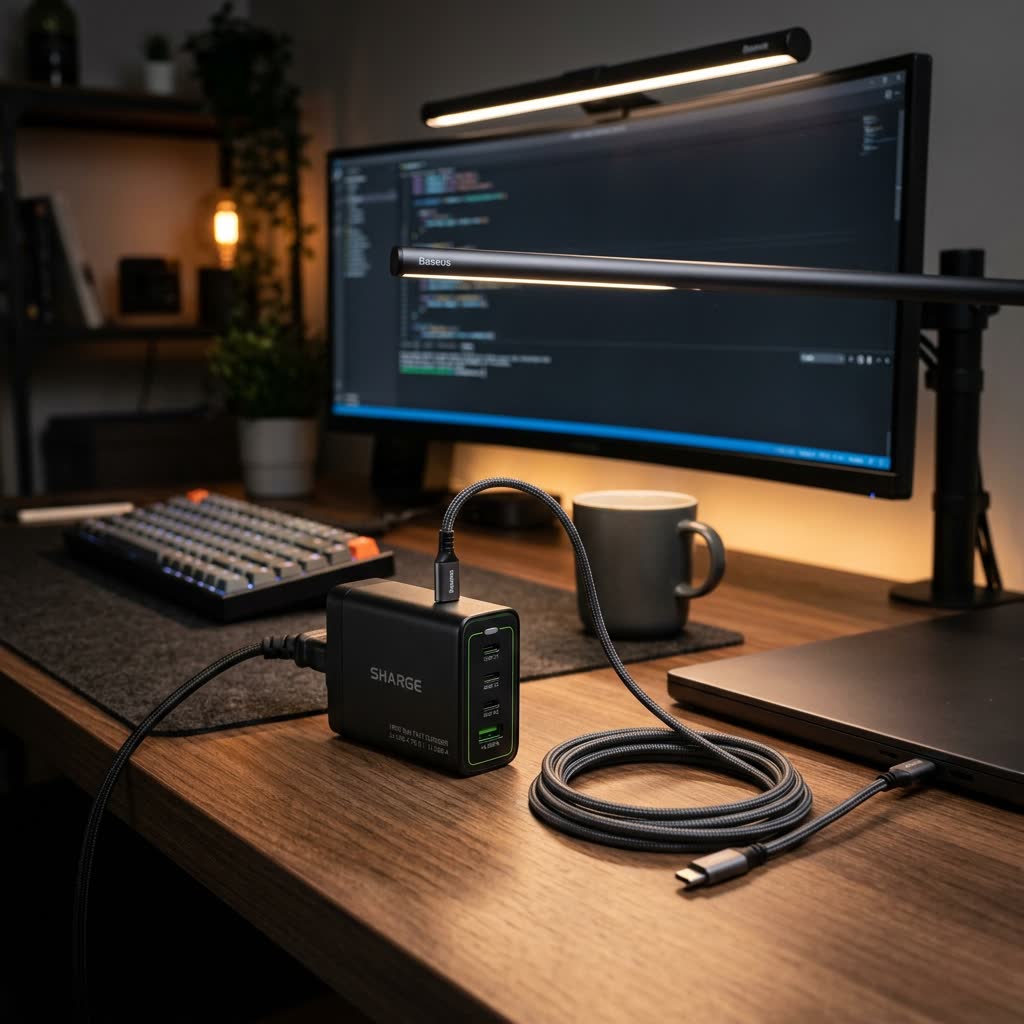
GaN, or Gallium Nitride, is a prime example of this evolution. Traditionally, chargers used silicon transistors, which generated high heat and required bulky casings. GaN technology uses semiconductor materials that conduct electricity far more efficiently, allowing manufacturers to create chargers that are 40% smaller, generate minimal heat, and deliver high wattages (100W+). Sourcing these devices online allows you to declutter your desk, replacing multiple power bricks with a single, elegant unit.
4 Critical Factors to Evaluate When Buying Electronics Online
To protect your valuable laptops, screens, and custom keyboards, you must look beyond the cosmetic design of electronics and evaluate their engineering details:
1. Safety and Certification Standards
Unregulated chargers and cables can cause power surges, damaging your laptop's battery or mainboard. When evaluating electronics on online stores, check for safety markers:
- FCC Certification: Verifies that the electromagnetic interference from the device is within limits approved by the Federal Commission.
- CE Marking: Confirms that the product meets safety, health, and environmental protection standards for the European Economic Area.
- RoHS Compliance: Restricts the use of hazardous substances in electrical and electronic equipment, protecting user health and environment.
2. Multi-Port Power Allocation Schemas
If you are purchasing a multi-port USB charger, it is not enough to look at the maximum output (e.g. "100W Max"). You must analyze the power allocation table. A high-end GaN charger dynamically shifts power:
- Single Port Usage: USB-C1 output can reach 100W, charging a laptop.
- Dual Port Usage: USB-C1 drops to 65W (ideal for laptop), and USB-C2 outputs 30W (ideal for tablet or phone).
- Three Port Usage: USB-C1 drops to 45W, USB-C2 to 30W, and USB-A output delivers 18W.
Understanding this table ensures your primary device gets sufficient current during multitasking.
3. Asymmetric Lighting Optics
When buying desktop lightbars online, look for asymmetric optical designs. Standard lightbars project light in a symmetrical cone, which hits the monitor screen and reflects directly into your eyes, causing glare. Asymmetric lightbars focus light forward at an angle, illuminating your desk mat and keyboard while keeping the monitor screen completely dark, optimizing contrast and reducing optical stress.
4. Component Material and Heat Dissipation
Electronics generate heat during continuous operation. High-end devices use metal alloy enclosures (like anodized aluminum) or structural layouts with heat sinks to transfer heat away from internal circuit boards, extending the lifespan of the device.
Safeguarding Your Gear Against Sri Lankan Voltage Instability
Sri Lanka's local power grid is prone to periodic voltage fluctuations, spikes, and brownouts, which can severely damage sensitive modern electronics. Silicon circuitry inside premium laptops, keypads, and screens can degrade under unstable currents. When setting up your workstation:
- Utilize High-Quality Surge Protectors: Never connect your primary chargers directly to raw wall outlets. Place an intermediate surge protector or voltage regulator to absorb spikes.
- Select GaN Docks with Integrated Safety Checks: Modern GaN chargers include built-in smart microchips that monitor internal temperature and output current, instantly shutting off the connection if a short circuit or over-voltage event is detected.
- Ground Your Extensions: Always ensure your desktop grid is connected to a properly grounded three-pin plug socket to bypass stray currents away from your metal accessories.
Tech Stack Comparison: Generic vs. Premium Electronics
| Technical Spec | Generic Desk Electronics | Premium GaN & Optical Electronics | Impact on Setup |
|---|---|---|---|
| Material | ABS Plastic | Anodized Aluminum / Glass | Heat dissipation, durability |
| Transistor Type | Silicon | Gallium Nitride (GaN) | Smaller footprint, higher safety |
| Optics | Symmetrical Cone | Asymmetric Beam | Prevents screen glare and eye strain |
| Charging Protocol | Basic USB-A | USB-C Power Delivery 3.0 | Charges laptops, tablets, and phones simultaneously |
Building a Safe and Productive Workspace Charging Grid
To organize your workspace electronics efficiently, you need to map out a systematic desktop charging and lighting grid:
1. The Core Hub: A 100W GaN 4-port desktop charger connected to the wall outlet with a thick, grounded cord.
2. Laptop Power: A braided USB-C to USB-C cable (supporting 100W charging) routed from the charger's primary port to the laptop stand.
3. Lighting: A USB-A to USB-C cable powering the monitor lightbar from the charger's lowest-wattage port.
4. Mobile Power: A high-speed USB-C to Lightning or USB-C cable running to a desk charging dock or phone stand.
By routing these cables cleanly underneath your desk surface using cable sleeves and magnetic routing guides, you achieve an ultra-clean, clutter-free desk surface that allows you to focus fully on your work.
Conclusion: Designing a Future-Proof Tech Setup
Investing in high-end electronics is an investment in your productivity and safety. By learning how to read specification sheets, checking for international certifications, and managing your desk charging grid, you can build a modern, high-performance workspace that stands the test of time.
Explore the electronic workspace accessories at PluggedIn to find high-end charging blocks and optical lightbars designed to keep your creative tools powered safely and efficiently.
Continue Reading
The Ultimate Guide to Workspace Design: Navigating Online Shopping in Sri Lanka
Discover how to build a highly productive desk setup by sourcing premium workspace essentials through online shopping in Sri Lanka.
The Aesthetic Workspace: Redefining Lifestyle Shopping in Sri Lanka
Explore how workspace curation is reshaping lifestyle shopping in Sri Lanka, focusing on minimalism, ergonomics, and premium materials.